From idea to market-ready product, our SIGNS solutions make every stage easier, faster. Discover How We Help

Views: 222 Author: Landea Signs Publish Time: 2026-04-09 Origin: Site


Content Menu
● Braille on Glass vs. Braille on Opaque Backings: Legibility Issues
● Why Braille on Glass Seems Attractive (But Often Fails in Practice)
● Core Legibility Requirements for Braille Signage
● Why Braille Behind or On Glass Is Problematic
>> 1. Barrier Between Fingers and Dots
>> 2. Slippery, High‑Gloss Surfaces
>> 3. Dot Integrity and Durability
>> 4. Temperature and User Comfort
● Advantages of Braille on Opaque Backings
● Real User Feedback: How Visually Impaired People Experience Glass
● Design Trade‑Offs: Aesthetics vs. Accessibility
● Technical Comparison: Glass vs. Opaque Backings
● Best Practices from Accessibility Standards and Guidance
● How Landea Signs Engineers Legible Braille Signage (Expert Perspective)
● Practical Design Checklist for Architects and Owners
● Example Project – Glass Partitions with Accessible Braille
● When (and How) Glass Can Still Play a Role
● Call to Action: Partnering with Landea for Accessible Glass‑Integrated Signage
● FAQ
Braille on glass is almost always less legible and less usable than Braille on a properly designed opaque backing, especially in real-world public environments. For an accessibility‑focused sign manufacturer, glass may work as an aesthetic accent, but it should never compromise tactile readability, code compliance, or user safety. [novapolymers]

As an architectural signage manufacturer working with designers, contractors and access consultants, I've seen a growing interest in glass‑heavy interiors—and with it, a temptation to put tactile and Braille directly on glass. From an accessibility and compliance perspective, that is usually a mistake: Braille is meant to be read by touch, not admired behind a glossy panel. In this article, I will walk through the legibility issues of Braille on glass versus opaque backings, share what visually impaired users actually report, and explain how we at Landea design ADA‑ and EN‑compliant Braille signs that still look premium. [brailleliteracycanada]
Interior designers and brand teams love glass because it communicates transparency, openness, and modernity. It is natural that they ask: "Can we put the Braille directly on the glass to keep the look clean?" [landeasigns]
From a distance, glass‑mounted Braille can look minimal and high‑end, especially when combined with frosted films, edge‑lighting or printed graphics. However, when you evaluate it from the user's point of view—a blind person reading with their fingers, sometimes in a crowded corridor—most glass Braille implementations break core legibility and usability rules. [instagram]
Before comparing materials, it helps to restate what makes Braille signage truly legible and usable in public spaces. [butlersigns]
Key requirements include:
- Correct Braille grade and layout (typically Grade 2 for ADA in the U.S.; equivalent standards in other regions). [taylor]
- Dot height, diameter and spacing within a tight tolerance so each cell is easy to distinguish by touch. [greendotsign]
- Stable, non‑deforming substrate so dots do not flatten, crack or migrate over time. [torontomu]
- Non‑glare finish for the sign face, because reflective glare makes signs harder to locate and read for low‑vision users. [novapolymers]
- High visual contrast between text and background to support users with residual vision. [brailleliteracycanada]
- Correct mounting height and reach range, so users can reliably find the sign. [taylor]
Most accessibility guidelines emphasise non‑reflective surfaces and stable, tactilely distinct dots precisely because any loss of tactile clarity can quickly make Braille unreadable. [torontomu]
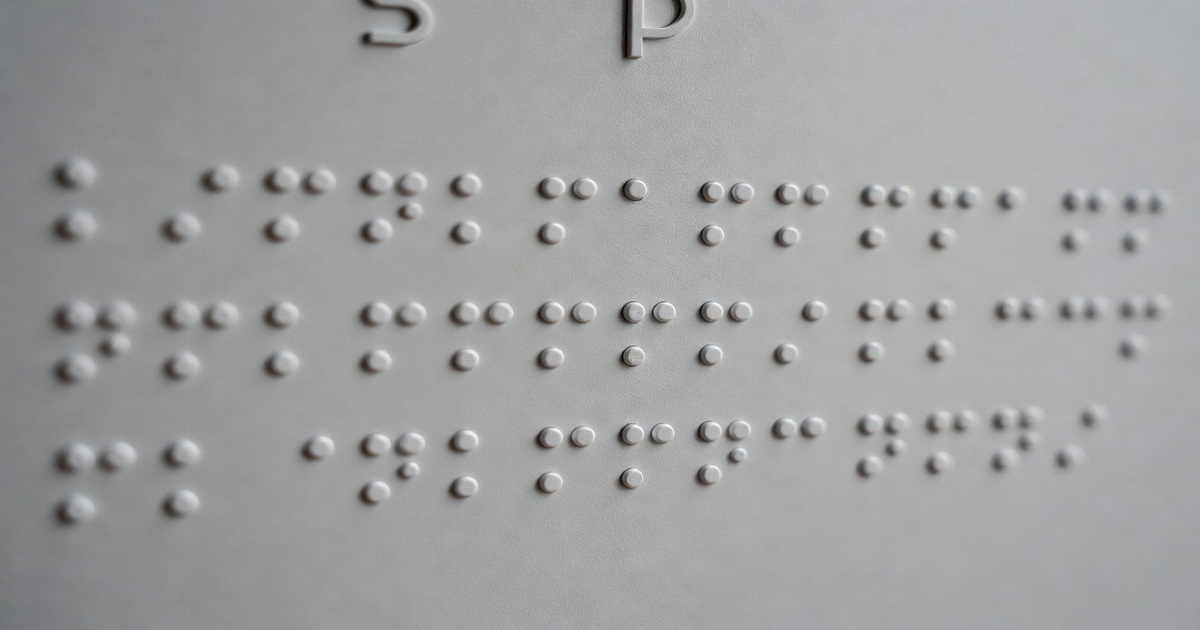
When Braille is placed behind a glass panel—or when the glass itself is the primary tactile surface—multiple legibility issues appear. [instagram]
Some projects place printed or embossed Braille on a substrate and then cover it with glass as a "protective" layer. To a sighted designer this looks sleek, but to the blind user the Braille is simply unreachable: the glass acts as a physical barrier between the fingers and the tactile information. Accessibility organizations consistently flag this as a severe usability failure because the Braille becomes decorative rather than functional. [butlersigns]
Glass is inherently smooth and reflective; even etched or tempered glass often retains a level of gloss that conflicts with non‑glare requirements in standards such as ADA and national accessibility guidelines. For low‑vision users, glare can make it hard to locate the sign outline; for blind users, the very smoothness of glass may make it harder to "lock" fingers on the Braille line, especially in high‑traffic corridors where people are moving quickly. [greendotsign]
Producing robust, tactilely distinct dots directly on glass is technically challenging. Many processes—such as shallow sandblasting, laser etching or low‑profile UV ink—do not create sufficiently high, rounded dots, leading to Braille that feels vague or incomplete. Over time, cleaning chemicals, impact, or subtle flexing of large glass panels can further erode the tactile definition, which is already tighter to begin with compared to materials like acrylic or metal. [torontomu]
Glass can feel cold and sometimes wet (due to condensation) in certain climates and building locations. For some users, that extra discomfort makes them less likely to explore the surface thoroughly, particularly if the Braille line is long or installed near entrance doors where drafts are common. [brailleliteracycanada]
In contrast, Braille applied to opaque backings—acrylic, aluminum, stainless steel, high‑pressure laminate, or layered composites—can be engineered precisely to meet tactile, visual, and durability requirements. [sign-frame]
Key advantages include:
- Controlled tactile geometry: Injection‑formed or routed and inserted Braille on rigid backings can consistently meet required height, diameter and spacing. [sign-frame]
- Non‑glare finishes: Matte acrylics or brushed metals naturally support non‑reflective surfaces recommended by accessibility guidelines. [novapolymers]
- High contrast graphics: Opaque backings allow light or dark letters to be printed, painted, or applied against a contrasting field, aiding low‑vision readers. [taylor]
- Predictable mounting and framing: Standard sign panels are easier to locate, align, and mount consistently at compliant heights. [butlersigns]
For these reasons, most ADA and international guidelines effectively assume an opaque, non‑glare sign body when defining Braille size, layout, and placement. [greendotsign]
Accessibility professionals repeatedly report that Braille placed behind or under glass is unusable and frustrating because it cannot be touched. Advocacy posts and training materials often showcase photos of Braille "trapped" behind glass or acrylic windows as examples of what not to do. [brailleworks]
Some blind users also point out a more subtle issue: when Braille is placed on very smooth, glossy materials without clear tactile edges or framing, it becomes harder to know where the Braille starts and ends, or even whether they have found the correct sign. In a busy lobby or corridor, that extra uncertainty can slow navigation and reduce the sense of independence the signage was meant to support. [brailleliteracycanada]
High‑end interiors do not have to choose between aesthetics and accessibility, but the trade‑offs must be handled intentionally. A common compromise we see is a glass panel that carries the visual branding—graphics, logo, decorative frosts—with a smaller, opaque ADA plaque mechanically or adhesively attached at the proper height and reach. [landeasigns]
This keeps the "glass look" that architects desire while ensuring that tactile and Braille content live on a stable, non‑glare, high‑contrast backing designed specifically for touch. [sign-frame]
The following table summarises the main legibility and compliance factors for Braille on glass versus Braille on opaque backings. [torontomu]
| Factor | Braille on Glass | Braille on Opaque Backing |
|---|---|---|
| Tactile clarity of dots | Often shallow or inconsistent; challenging to maintain dot shape over time (torontomu) | High, repeatable dot geometry using formed or inserted Braille methods (novapolymers) |
| Surface reflectivity | Typically glossy; glare issues for low‑vision users (novapolymers) | Matte or brushed finishes easily achieve non‑glare surfaces (novapolymers) |
| Access to Braille | Sometimes placed behind glass and not touchable at all (brailleliteracycanada) | Always directly exposed for fingertip reading (novapolymers) |
| Visual contrast | Depends on background behind glass; can be unpredictable (brailleliteracycanada) | High‑contrast layouts are straightforward to design and control (novapolymers) |
| Durability of tactile features | Susceptible to erosion from cleaning and impact on panels (torontomu) | Engineered for wear resistance and stability over years (torontomu) |
| Compliance with guidelines | Difficult to meet non‑glare and tactile standards consistently (novapolymers) | Naturally aligned with ADA and similar standards when properly specified (novapolymers) |
While different countries reference different codes, the design themes are remarkably consistent: Braille must be tactile, clear, and easily reachable on a non‑glare surface. [novapolymers]
Best‑practice highlights include:
- Use non‑reflective surfaces for all tactile and Braille sign faces. [butlersigns]
- Provide high contrast between text and background for visual content. [taylor]
- Ensure standardised Braille dot dimensions and spacing in line with national Braille authorities. [greendotsign]
- Mount signs in consistent, reachable locations near door latches or along circulation paths. [novapolymers]
These principles almost always favour an opaque plaque with carefully engineered tactile features over experimental all‑glass solutions. [brailleliteracycanada]
At Landea Signs Co., Ltd., we manufacture architectural signage for global clients and regularly advise on accessibility‑driven projects in offices, hotels, hospitals and transportation hubs. Our internal design standards are built around the assumption that Braille should be on an opaque, non‑glare backing, even when the overall feature wall is glass or mirror. [linkedin]
Our typical approach includes:
- Selecting acrylic, aluminum or stainless steel plaques with matte or brushed finishes as the base for tactile and Braille layers. [landeasigns]
- Using precision‑formed Braille dots that match regulatory size and spacing, rather than shallow etching. [sign-frame]
- Testing sample signs with visually impaired consultants to validate tactile clarity and contrast in real lighting conditions. [butlersigns]
- Integrating plaques into glass partitions or wayfinding walls using stand‑offs or concealed fixing so the visual designer's concept is preserved. [landeasigns]
This combines architectural aesthetics with the lived experience of users who rely on tactile information every day. [landeasigns]
To help design teams move from concept sketch to buildable, compliant detail, we recommend the following practical checklist when deciding between Braille on glass and opaque backings. [taylor]
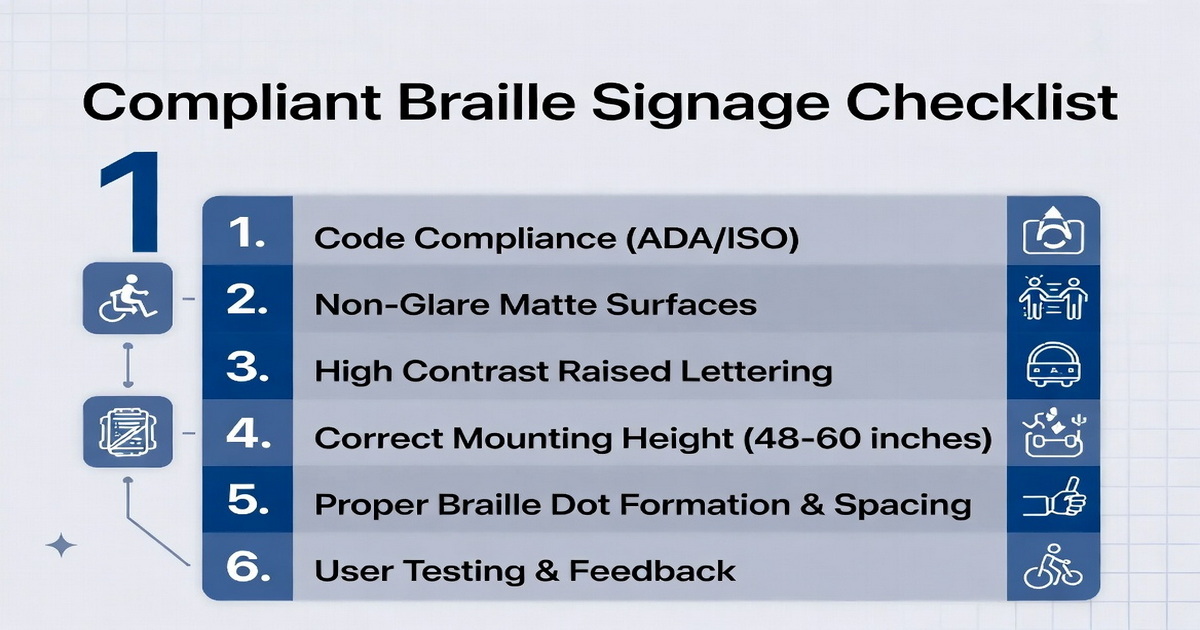
Step‑by‑step checklist:
1. Confirm applicable codes
Identify whether ADA, EN standards, local building regulations or transport accessibility codes apply to the project. [greendotsign]
2. Define user scenarios
Map where blind or low‑vision users will need tactile wayfinding or room identification and how they will approach each sign. [brailleliteracycanada]
3. Choose non‑glare, opaque bases
Default to matte acrylics or brushed metals for any signs that carry Braille or raised characters. [sign-frame]
4. Integrate with glass visually, not tactilely
If glass walls are essential to the design, mount opaque plaques onto them rather than trying to form Braille in or behind the glass itself. [novapolymers]
5. Prototype and test
Produce sample signs and involve visually impaired stakeholders to confirm that dots are easy to locate and read under real lighting and cleaning conditions. [torontomu]
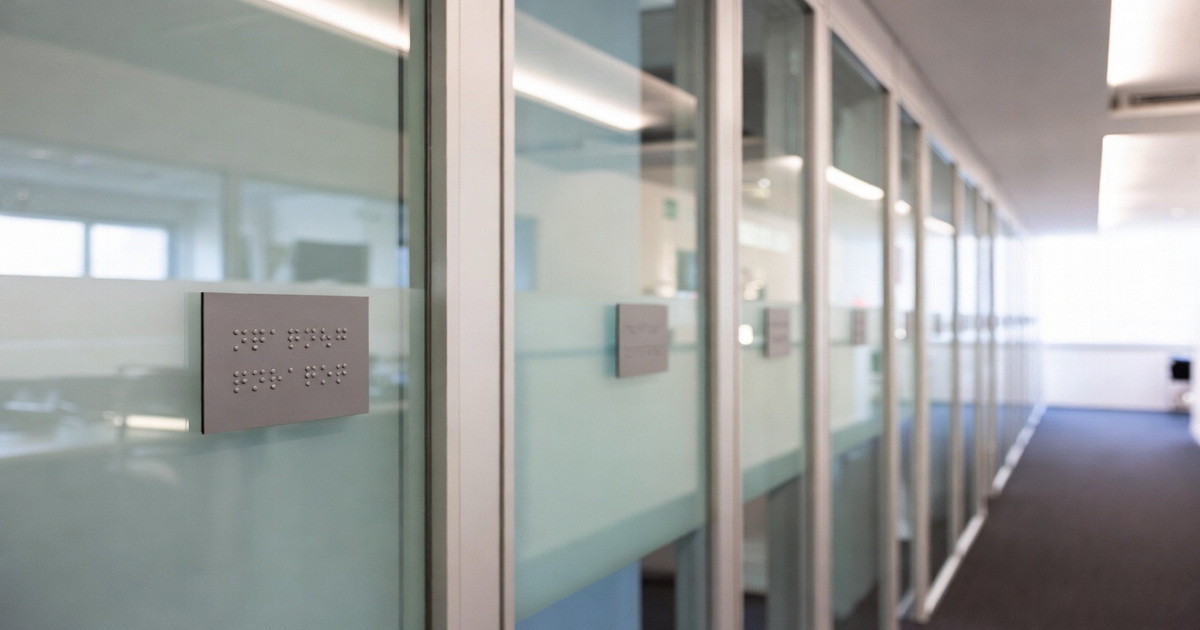
Consider a modern office floor where all meeting rooms use floor‑to‑ceiling glass partitions. The design brief calls for a "floating" glass appearance with minimal hardware, yet the building must provide accessible room identification.
A robust solution is to mount a small, opaque Braille plaque at each latch side, using stand‑offs that visually read as part of the glazing system, while keeping all tactile information on a matte acrylic or metal panel. The glass maintains the open, transparent aesthetic; the plaque delivers predictable tactile legibility, code compliance, and long‑term durability for Braille users. [sign-frame]
Glass is not "forbidden" in accessible environments; it just needs to be used where it does not undermine tactile function. [landeasigns]
Appropriate uses of glass include:
- Decorative overlays and backers behind an opaque Braille plaque.
- Edge‑lit or rear‑lit glass panels that frame, but do not cover, the tactile sign component. [landeasigns]
- Large directional graphics for sighted visitors, paired with separate tactile and Braille panels at reachable heights. [taylor]
In each case, glass contributes to the architectural story while the Braille remains on an engineered, opaque backing optimised for touch. [butlersigns]
If your project team is debating Braille on glass vs. Braille on opaque backings, the safest and most user‑centred approach is to keep tactile content on a purpose‑built opaque substrate and treat glass as a visual design element only. As a manufacturer specialising in architectural signage, Landea Signs Co., Ltd. can help you translate accessibility standards into buildable, aesthetically aligned sign families for offices, hotels, campuses and public buildings worldwide. [linkedin]
For detailed support—sample packs, code‑compliant layouts, and value engineering for glass partitions—you can contact our team through our website and discuss your specific project constraints and brand requirements. [linkedin]

Q1: Is Braille on glass ever compliant with accessibility standards?
In most cases, placing Braille behind glass is not compliant because users cannot physically touch the dots, and glass surfaces often fail non‑glare requirements. [instagram]
Q2: Can we etch Braille directly into glass panels?
Etched or sandblasted glass rarely produces dots with sufficient height and shape for reliable tactile reading, and maintaining that profile over years of cleaning is even more difficult. [torontomu]
Q3: How can we keep a "glass look" and still provide accessible Braille?
Use glass for the large visual element and mount a small, non‑glare, high‑contrast plaque with raised text and Braille at the latch side of each opening. [brailleliteracycanada]
Q4: Which materials are best for opaque Braille backings?
Matte acrylic, brushed aluminum and stainless steel are popular because they combine durability, non‑glare finishes, and precise Braille dot formation. [taylor]
Q5: When should we involve a specialist sign manufacturer?
You should engage a specialist early in design development, before details are frozen, to validate sign types, mounting methods and materials against both code requirements and user experience goals. [butlersigns]
1. Nova Polymers – "What Are the ADA Braille Signage Requirements?" (non‑glare, contrast, tactile design) – https://novapolymers.com/ada-braille-signage-requirements/ [novapolymers]
2. Braille Literacy Canada – "Accessible Signage Guidelines" (layout, non‑reflective surfaces, placement) – https://www.brailleliteracycanada.ca/CMFiles/Accessible_Signage_Guidelines_BLC-PrintFormatted.pdf [brailleliteracycanada]
3. Green Dot Sign – "Top 6 ADA Braille Signage Requirements FAQs" – https://greendotsign.com/braille-signage/ [greendotsign]
4. Taylor Communications – "ADA‑Compliant Braille and Wayfinding Signage Explained" – https://www.taylor.com/blog/ada-compliant-braille-and-wayfinding-signage-explained [taylor]
5. Braille Works – "Braille Fails" (examples of poor Braille placement) – https://brailleworks.com/braille-fails/ [brailleworks]
6. Lim, A. – "The Current State of Braille on Packaging in Canada…" (thesis on Braille legibility and embossing) – https://www.torontomu.ca/content/dam/gcm/images/Community/Thesis/2020/LIM-BRAILLE.pdf [torontomu]
7. Butler Signs – "A Guide to Braille Signage | Enhancing Accessibility in Public Spaces" – https://butlersigns.uk/our-company/blog/a-guide-to-braille-signage-enhancing-accessibility-in-public-spaces/ [butlersigns]
8. Instagram accessibility education post – "Braille is meant to be read by touch… placed behind glass" – https://www.instagram.com/p/DWGwDxwDJm-/ [instagram]
9. ADA Braille sign product example – "DENALI11" – https://sign-frame.com/product/ada-braille-sign-denali11/ [sign-frame]
10. Landea Signs Co., Ltd. – "Acrylic Braille Vs. Aluminum Braille: Aesthetics for Modern Offices" – https://www.landeasigns.com/acrylic-braille-vs-aluminum-braille-aesthetics-for-modern-offices.html [landeasigns]
11. Landea Signs Co., Ltd. company profile – https://www.linkedin.com/company/landea-signs-co.-ltd [linkedin]


